


What it is
Keyward is a local app for macOS and Windows 11, with Windows ARM64 and x64 builds available. It manages API keys and infrastructure credentials, maps where they are used, and guides their replacement through an encrypted vault, searchable inventory, reviewed imports, backups, rotations, key checks, and confirmed connector actions.
Why it exists
A saved key rarely tells the whole story. Teams also need to know which apps use it, where each copy lives, and what still depends on an older version. Keyward keeps that context beside the credential so replacing a key becomes a repeatable, reviewable process.
Who it's for
Developers and operators managing API keys and infrastructure credentials across apps and environments.
A closer look
Reviewed 2026-11-23Development builds are available for macOS and Windows 11 (ARM64 and x64). The macOS app comes as an Apple-notarized DMG; Windows installers are currently unsigned and install without administrator rights. General availability has not been announced. Screenshots show a separate macOS demo vault with made-up records.
Built capabilities
- Local encrypted vault on macOS and Windows 11 (ARM64 and x64), with password unlock, Touch ID on supported Macs, Windows Hello on supported Windows computers, controlled copy and reveal, automatic locking, and an audit log. Windows excludes copied secrets from clipboard history and locks the vault on screen lock or sleep.
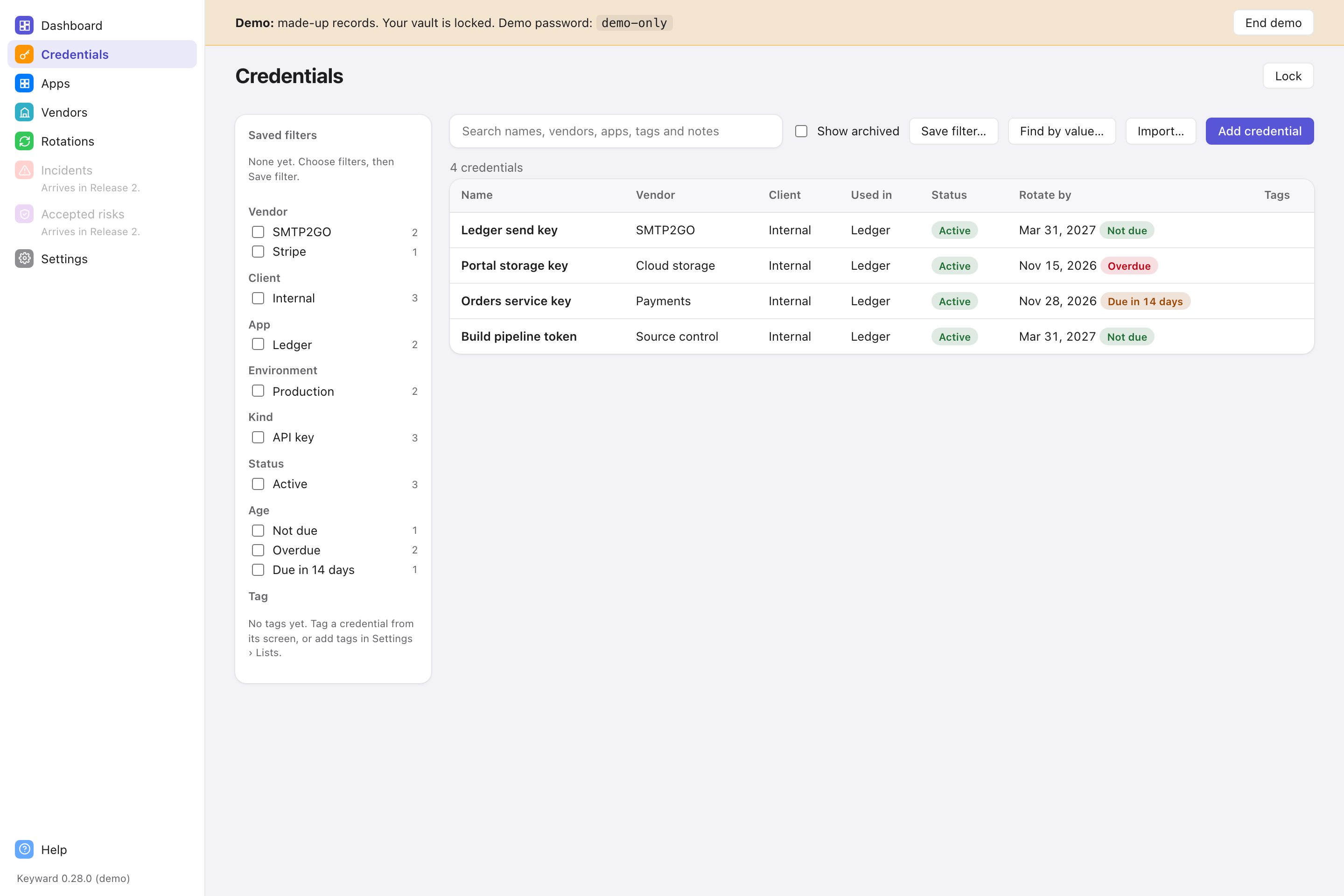
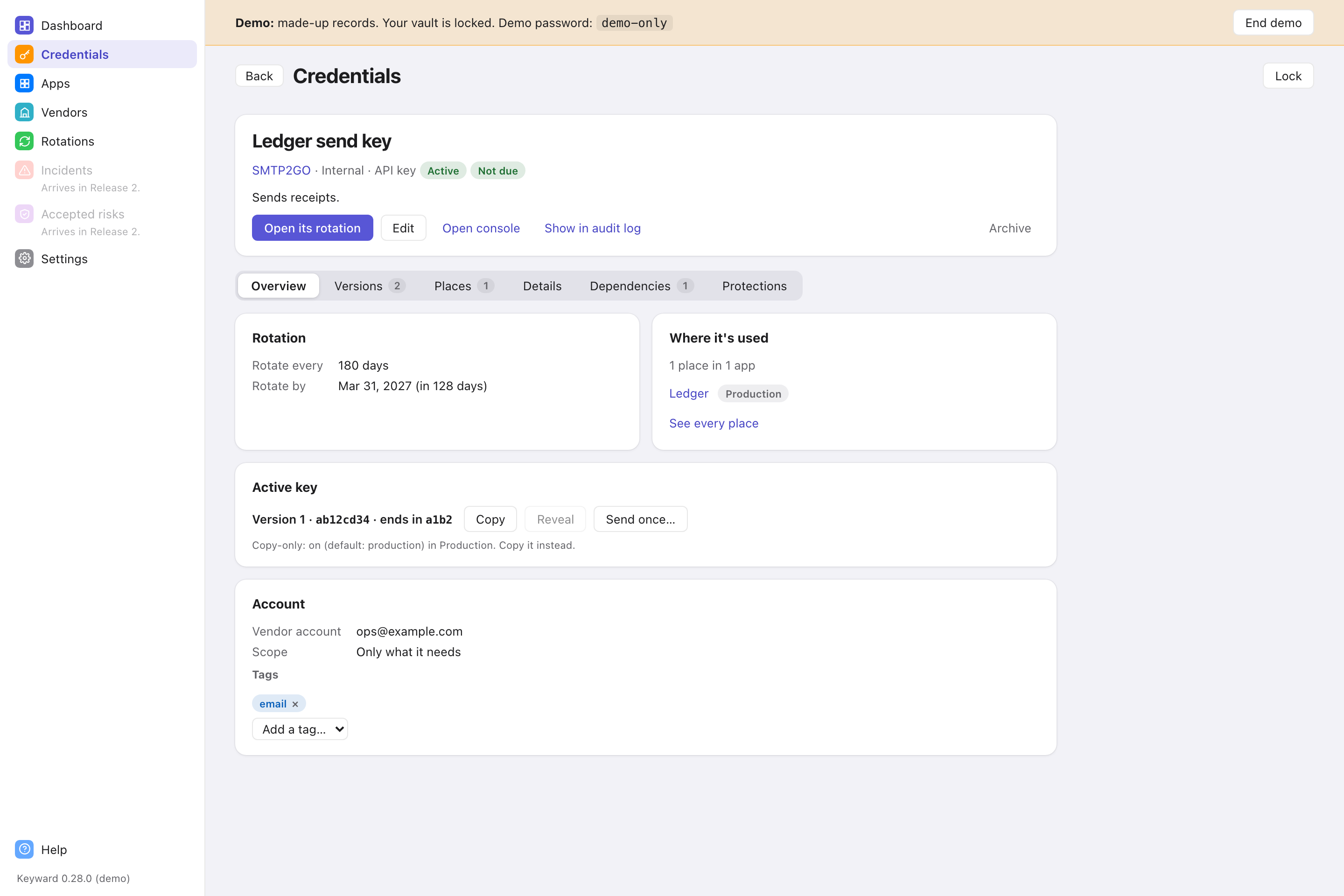
- Searchable credential inventory with filters and saved views. Tabbed details separate the overview, versions, places used, related details, dependencies, and protections.
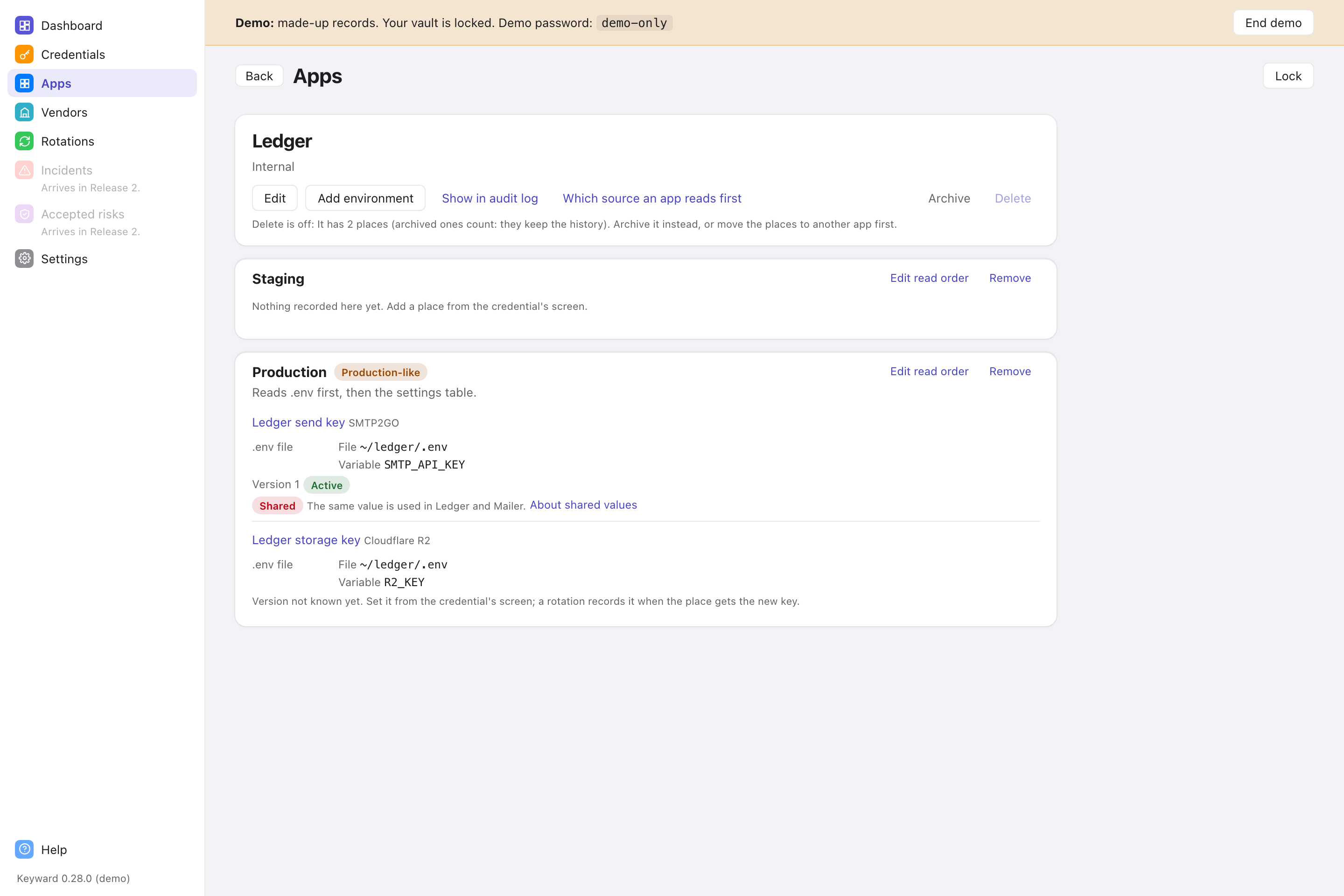
- App and environment maps show where each credential version is used, which source is read first, shared values, broad permissions, and places still holding an older version.
- Manual editing and reviewed imports from environment files or Railway. Accept, edit, merge, or skip candidates before saving; match repeated values and keep related identifiers as details.
- Automatic and manual encrypted backups, export of encrypted copies, and recovery from a backup. Compatible vaults and encrypted backups can move between macOS and Windows.
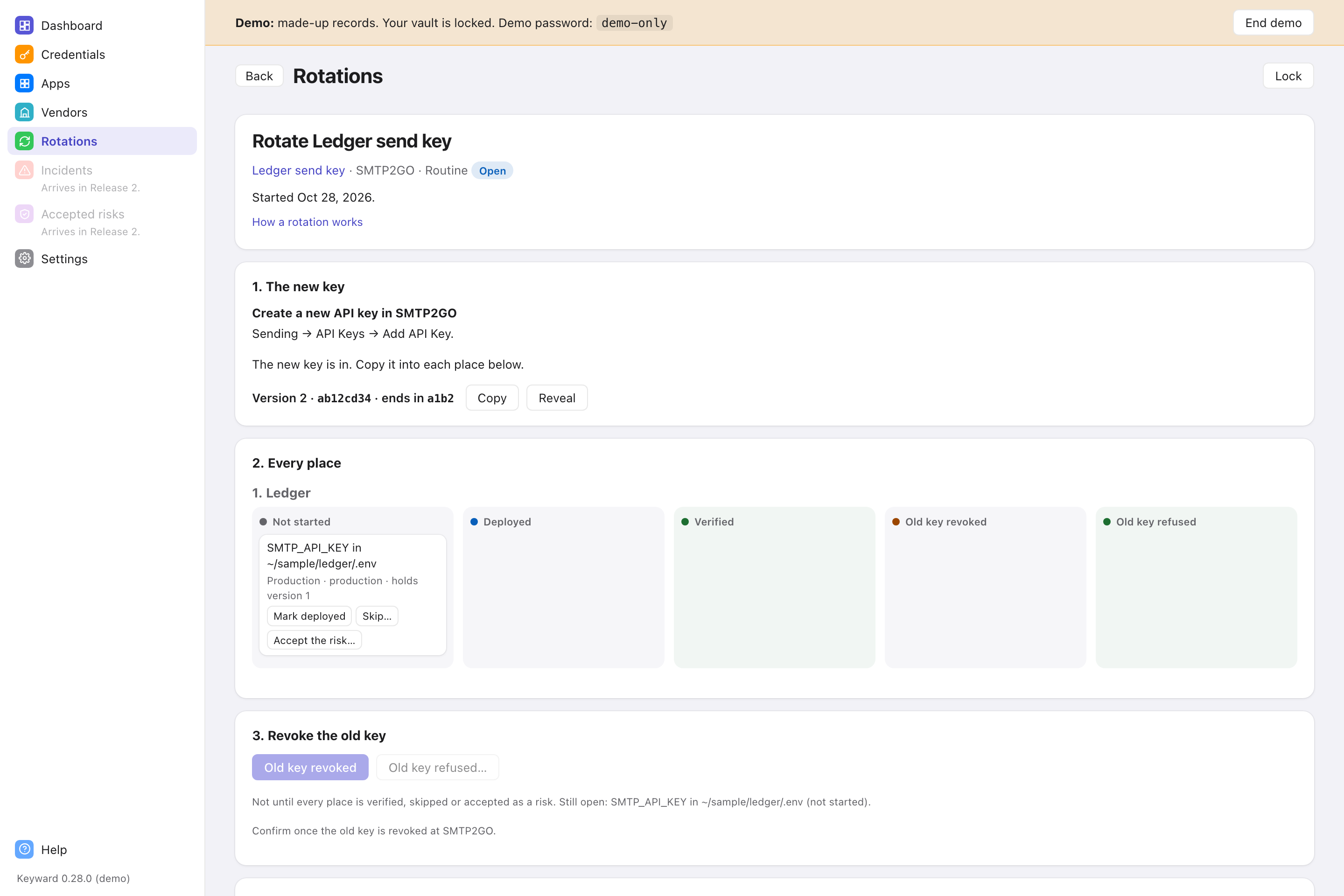
- Guided rotation runs track each place through staging where applicable, deployment, verification, old-key revocation, and confirmation that the old key is refused. Runs group work by app, record skips and accepted risks, track dependencies, and guard completion until required work is finished.
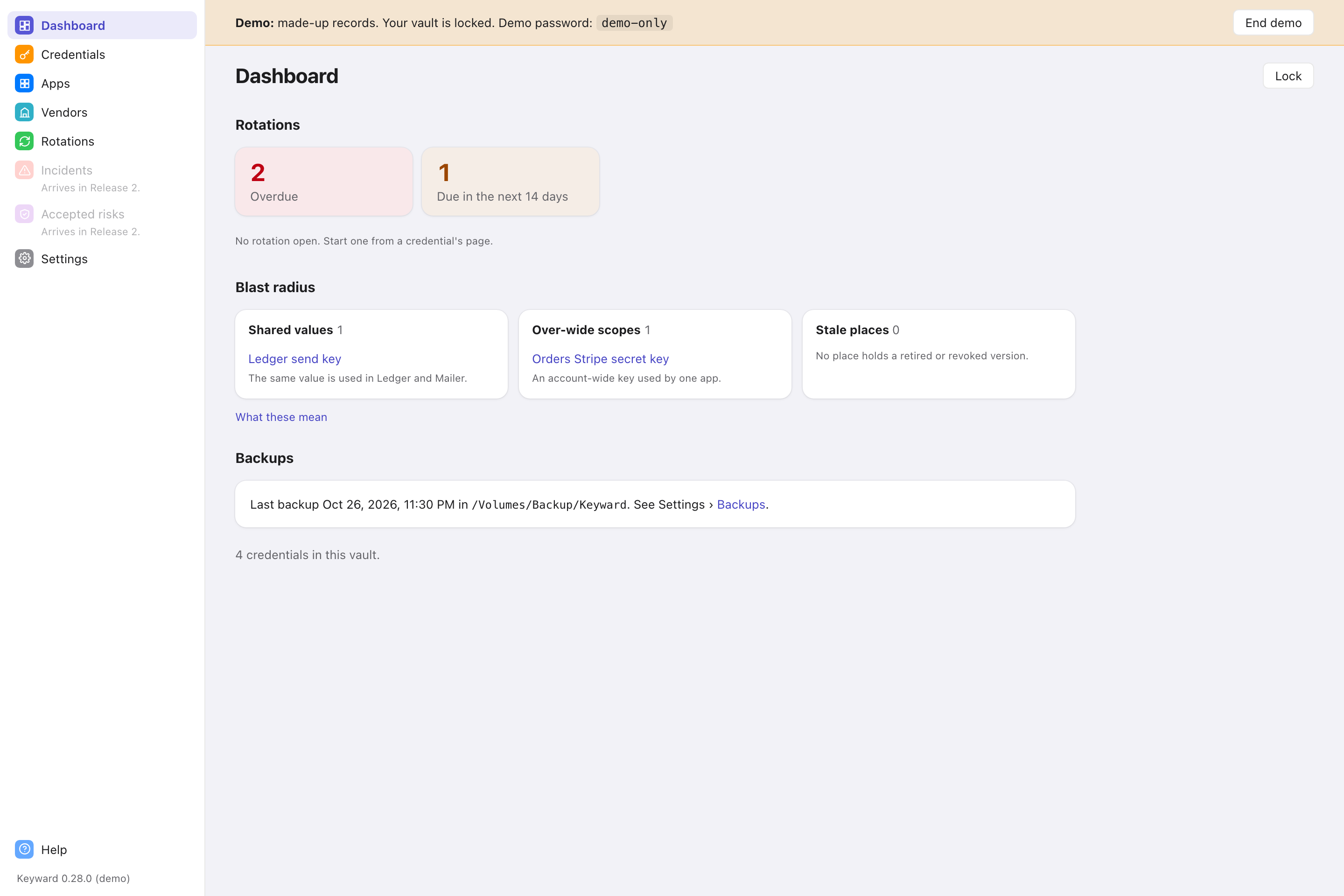
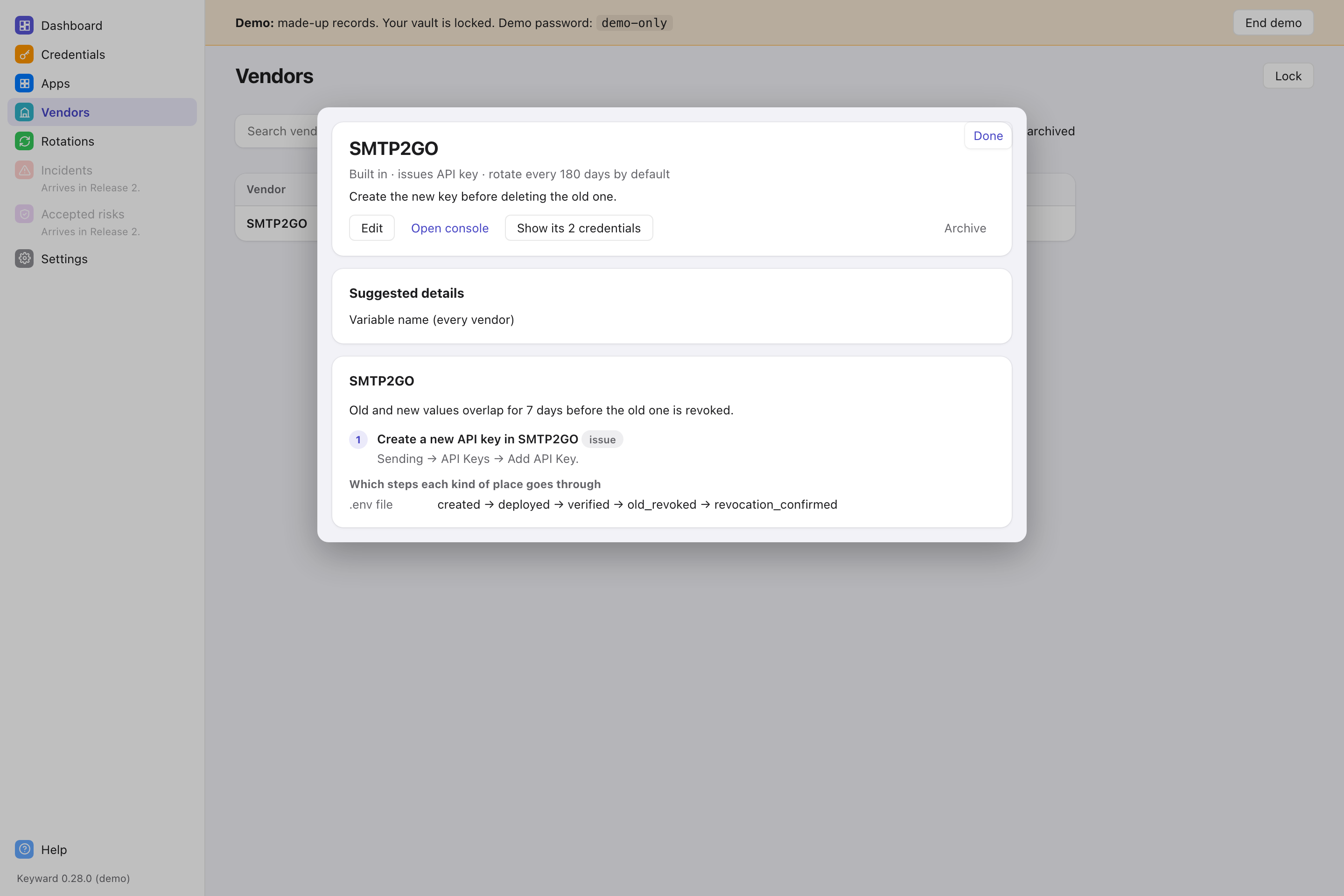
- A dashboard for due and overdue rotations, open runs, overlap warnings, risks due for review, and backup status. A searchable vendor catalog provides console links and rotation recipes.
- Key checks report whether a key works, is refused, or has an unknown result. The Railway connector discovers variable names, compares values with the vault, imports through review, and pushes selected replacements after confirmation. Ferri integration sends a key through a one-time link after confirmation, with send status and revocation controls. Connector settings include guided token setup and checks, replacement and removal controls, and connection history. Saved connector tokens are recorded as places used so rotations can include Keyward itself.
In development
- Development work adds a Bitbucket connector for discovering, comparing, reviewing imports, and pushing selected existing variables after confirmation. Secured variables can be recorded as places used but their values cannot be imported or read back. Live-service validation and availability in distributed builds are not confirmed by this review.
- Development work expands Azure and AWS vendor guidance and records credentials held in Azure Key Vault, AWS Secrets Manager, or AWS Parameter Store. These places are tracked manually; Keyward does not call Azure or AWS to update them.
Planned
- Broader connectors, incident workflows, report exports, and additional reminder channels are planned.
- An optional AI helper and controlled agent access remain later directions.
- Team sharing and encrypted sync between devices remain future directions.
Current limits
- Windows installers are not yet signed, so Windows may show an Unknown publisher warning. Keyward remains in active development; available builds do not imply a general release.
- Import supports environment files and Railway variables. Password-manager CSV import is not currently supported.
- Railway pushes update selected variables but do not deploy services. Provider-side key creation and revocation remain manual. Key checks are available only where a built-in or configured check is suitable; other verification is recorded manually.
- The optional AI helper, agent bridge, team sharing, and full incident workspace are not current features.
- Demo mode uses made-up records and disables external connectors, key checks, and sending.
- Bitbucket connectivity and cloud secret-store tracking are described as development work; availability in distributed builds is not confirmed.
Plans may change. No release date is promised unless explicitly announced.
Common questions
Which platforms are available?
Development builds are available for macOS and Windows 11, with separate Windows ARM64 and x64 installers. macOS supports Touch ID and Windows supports Windows Hello where available; password unlock is supported on both. The macOS DMG is notarized by Apple. Windows installers are currently unsigned. Both platforms use the same vault format. Opening a compatible vault or backup on another computer requires your recovery words and password; automatic encrypted sync remains planned.
How does a rotation work today?
Start a rotation from a credential, enter the replacement key once, and work through the places grouped by app. Push selected Railway variables after confirmation, then deploy the affected services yourself. Use key checks where supported and record other verification manually. Keyward tracks overlap windows, skips, accepted risks, and follow-ups, and guards completion until required work is finished. Provider-side revocation remains manual.
Does it replace keys everywhere automatically?
No. The Railway connector can push selected replacement variables after confirmation, but service deployment and provider-side key revocation remain manual. Other places are updated outside Keyward and tracked on the rotation board.
What can I import?
Environment files and Railway variables, with a review before anything is saved. Repeated values can be matched and merged, related identifiers kept as details, and ordinary configuration skipped. Password-manager CSV import is not supported.
Are the screenshots showing real credentials?
No. They show the current development app in demo mode, which opens a separate vault with made-up records while the real vault stays locked. The demo vault is discarded when the demo ends.
Is the AI helper available?
No. Optional AI guidance and controlled agent access are later plans. The intended helper would work with metadata and proposed actions for human confirmation, rather than receive secret values.
Build activity
Active this weekLast committed Nov 21, 2026 · 35 changes in the last 90 days · current release v0.28.0 · 35 releases in 90 days
Updated automatically from the project's commit history. Last refreshed Nov 23, 2026.
What made it interesting to build
Keyward began with a practical gap: storing a secret does not explain where it is used or how to replace it. The app brings that context into a searchable inventory with tabbed records, app maps, reviewed imports, and encrypted backups. Guided rotations connect those records to the work of replacing a key, with confirmed Railway updates, supported key checks, and progress for every place. The same vault format now works across macOS and Windows 11, with ARM64 and x64 Windows installers, Touch ID on Mac, and Windows Hello on Windows. Broader connectors, incident workflows, and encrypted sync remain future work.